
A quick tour
See allfami before you sign up
Ten screens from the app itself, photographed with a made-up family: Margaret, her husband Peter, their children Helen and Tom, and Rosa, who comes in three mornings a week. Nothing here is drawn for the page - this is what you will see.
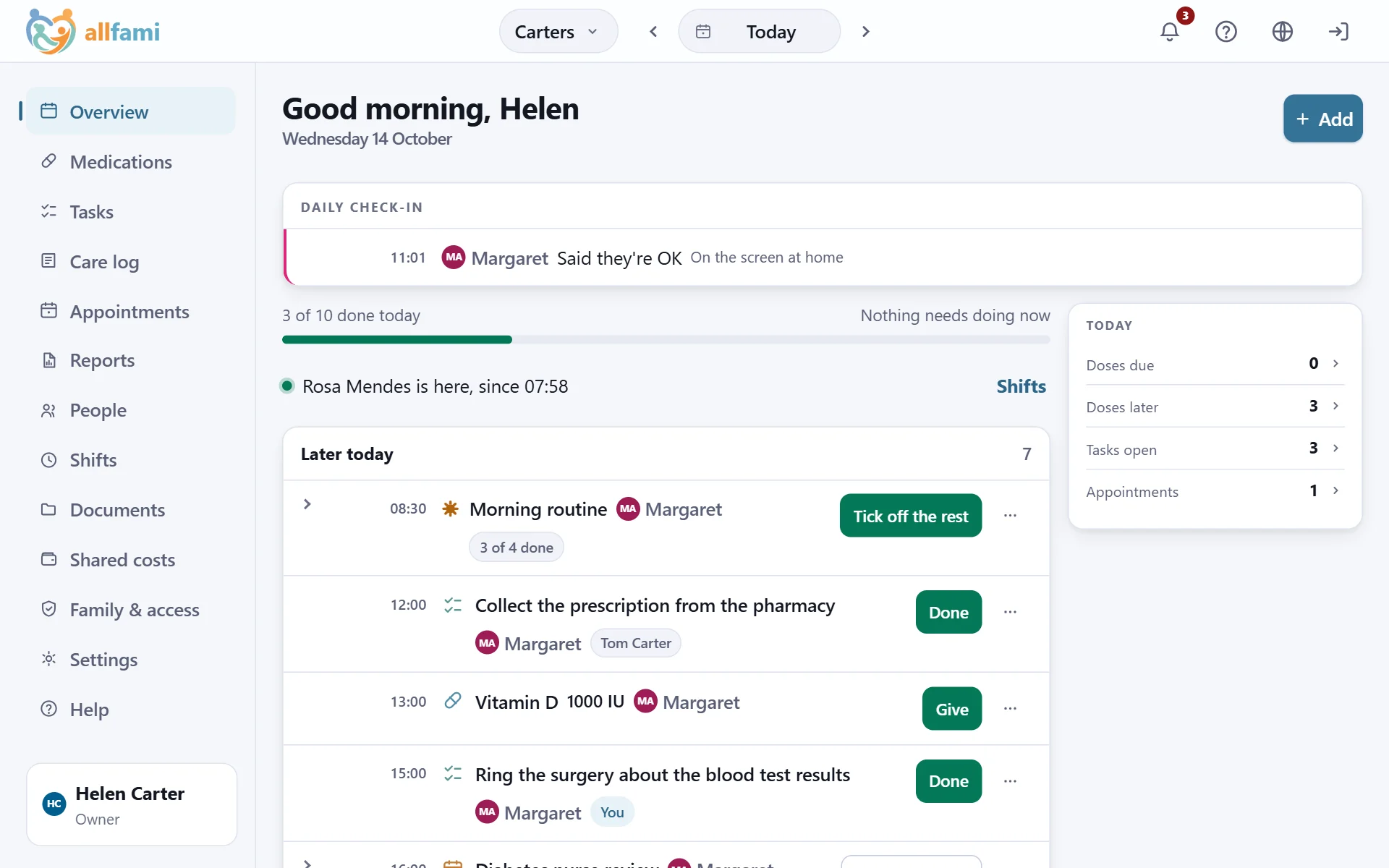
Today, what needs doing first
Open the app and this is the first screen: everything today for everybody you look after - anything late or due first, then what is later, with what is done folded into one line.
- Who has said they're OK today - here Margaret, from the tablet in her kitchen.
- Who is here, and since when.
- How much of the day is done, with one button on each thing still to do.
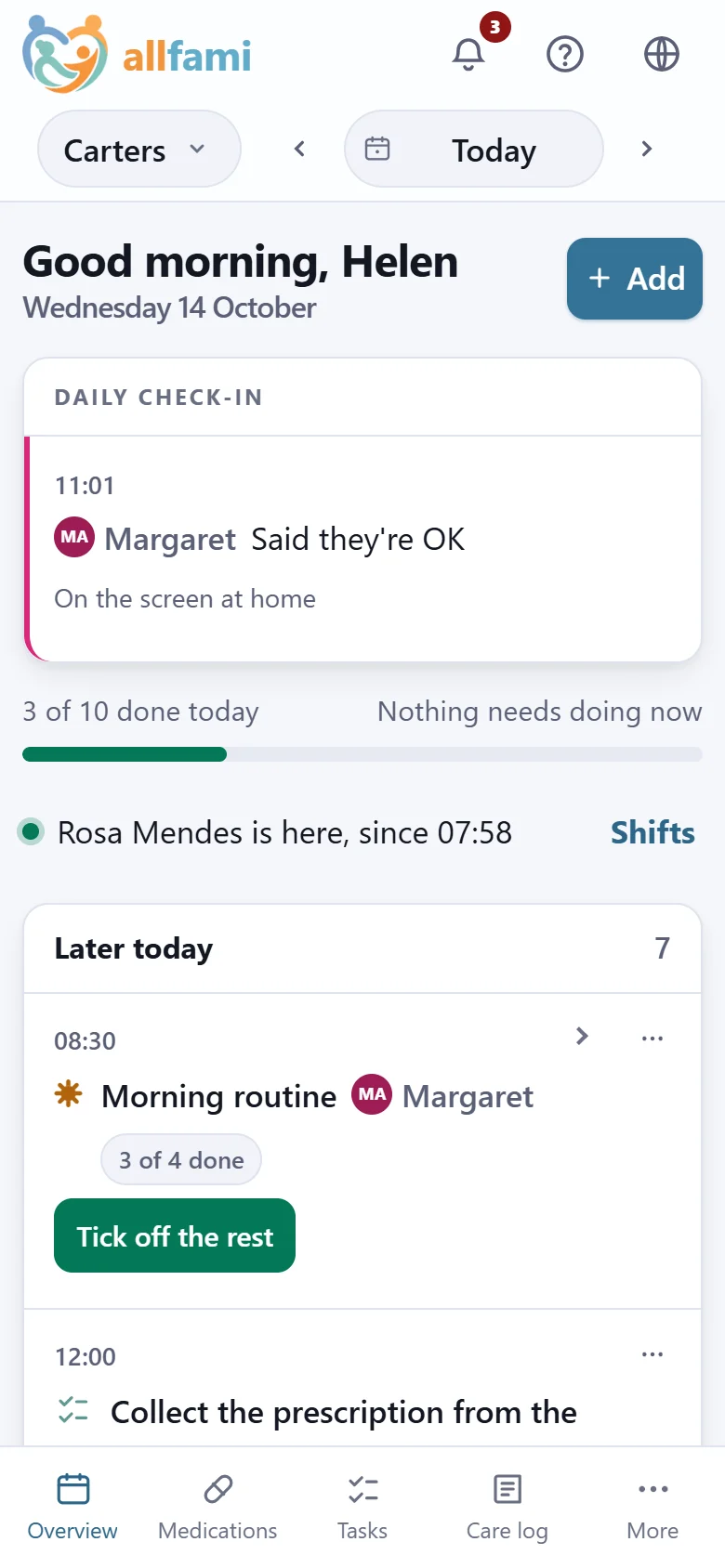
The month at a glance
The date at the top picks the day for every screen. Open it and the month shows which days have something on them.
- A dot under any day with a dose, a task, a shift or a note.
- A shaded day with a coloured dot for an appointment, in the colour of the person it's for.
- Tap a day and the whole app moves to it - yesterday's doses, next Tuesday's visit.
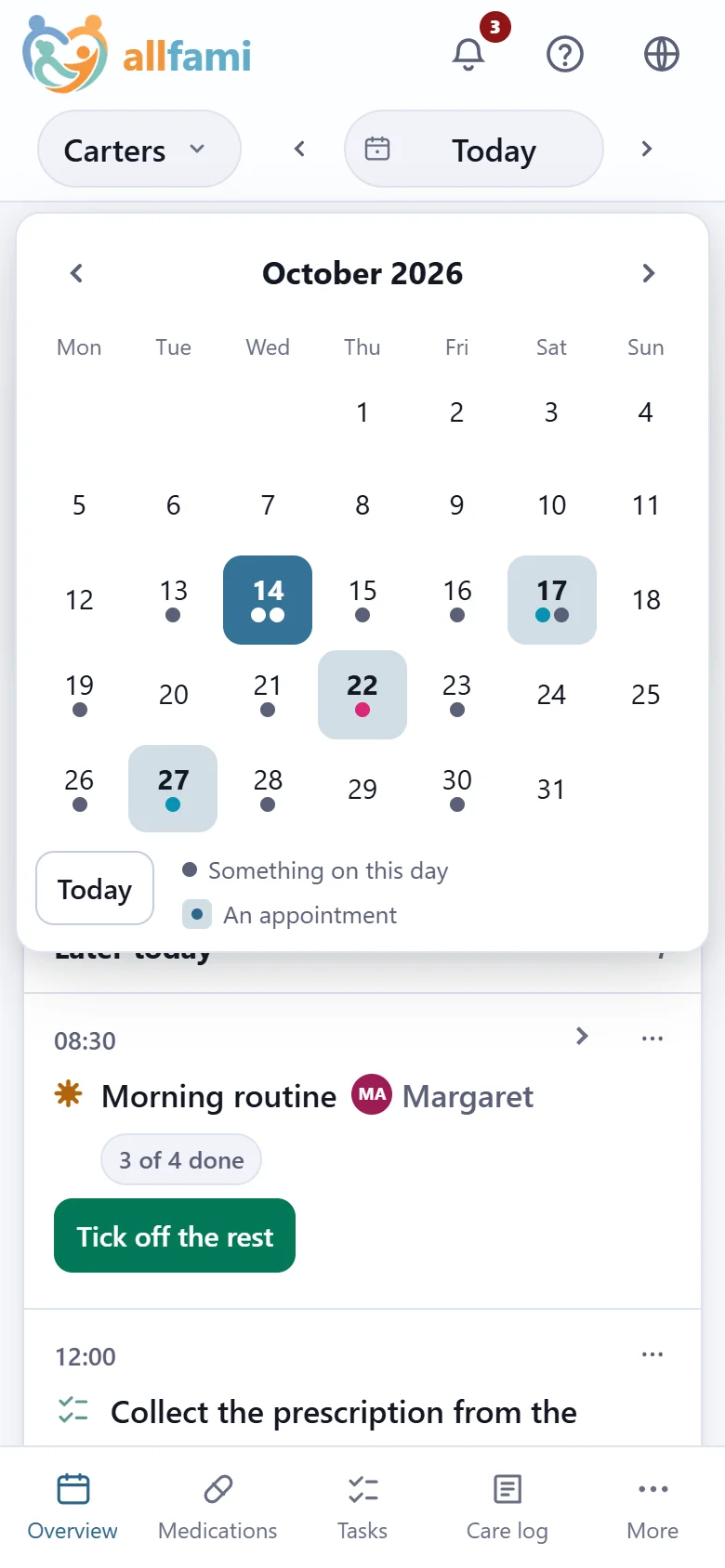
Every medicine, and what it's for
Each person's medicines with the dose, the times and the reason they take it, so somebody new can follow it without asking.
- Important medicines marked, and chased if a dose goes unrecorded.
- Stock counted down, with a reminder before it runs out.
- Medicines given only when needed carry their own limits - a minimum gap and a daily maximum.
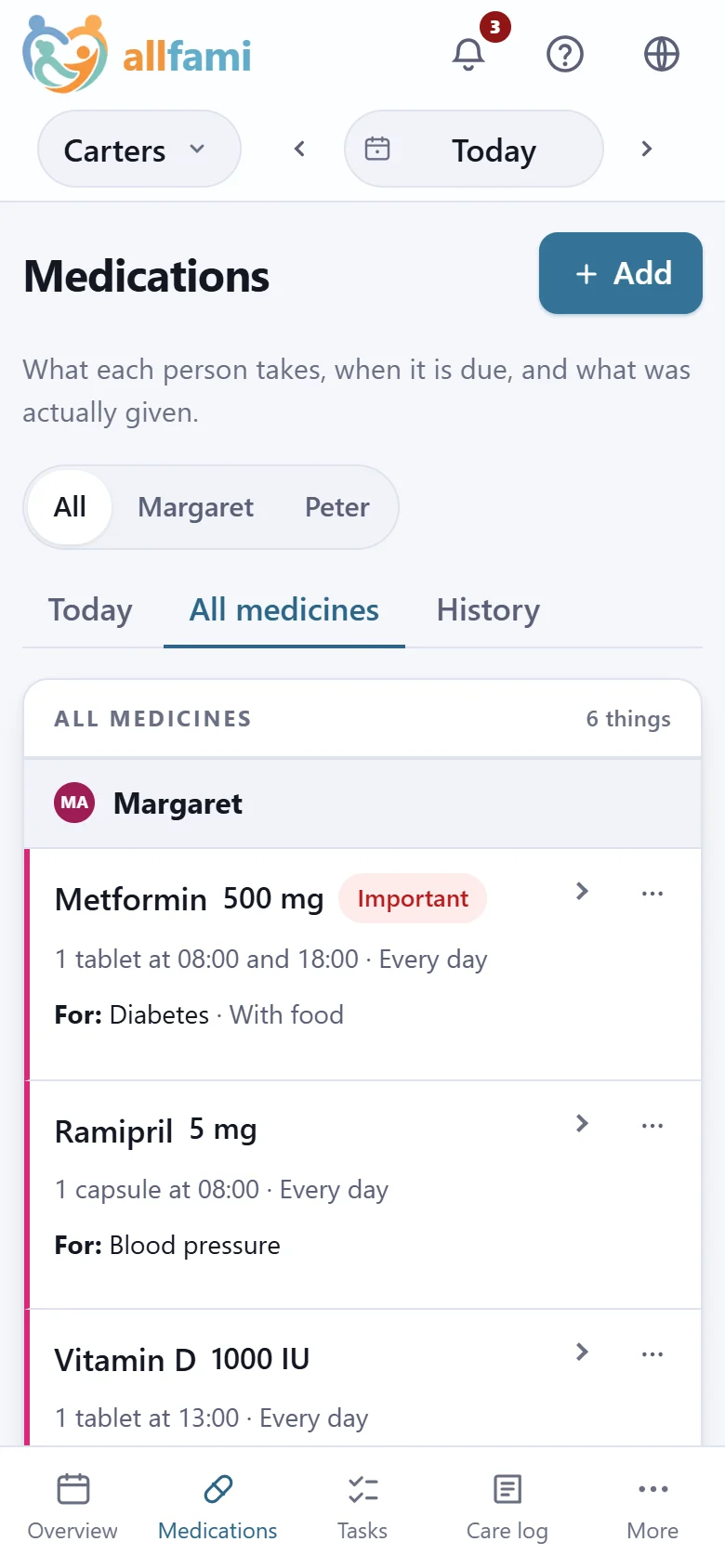
Routines, ticked off as they're done
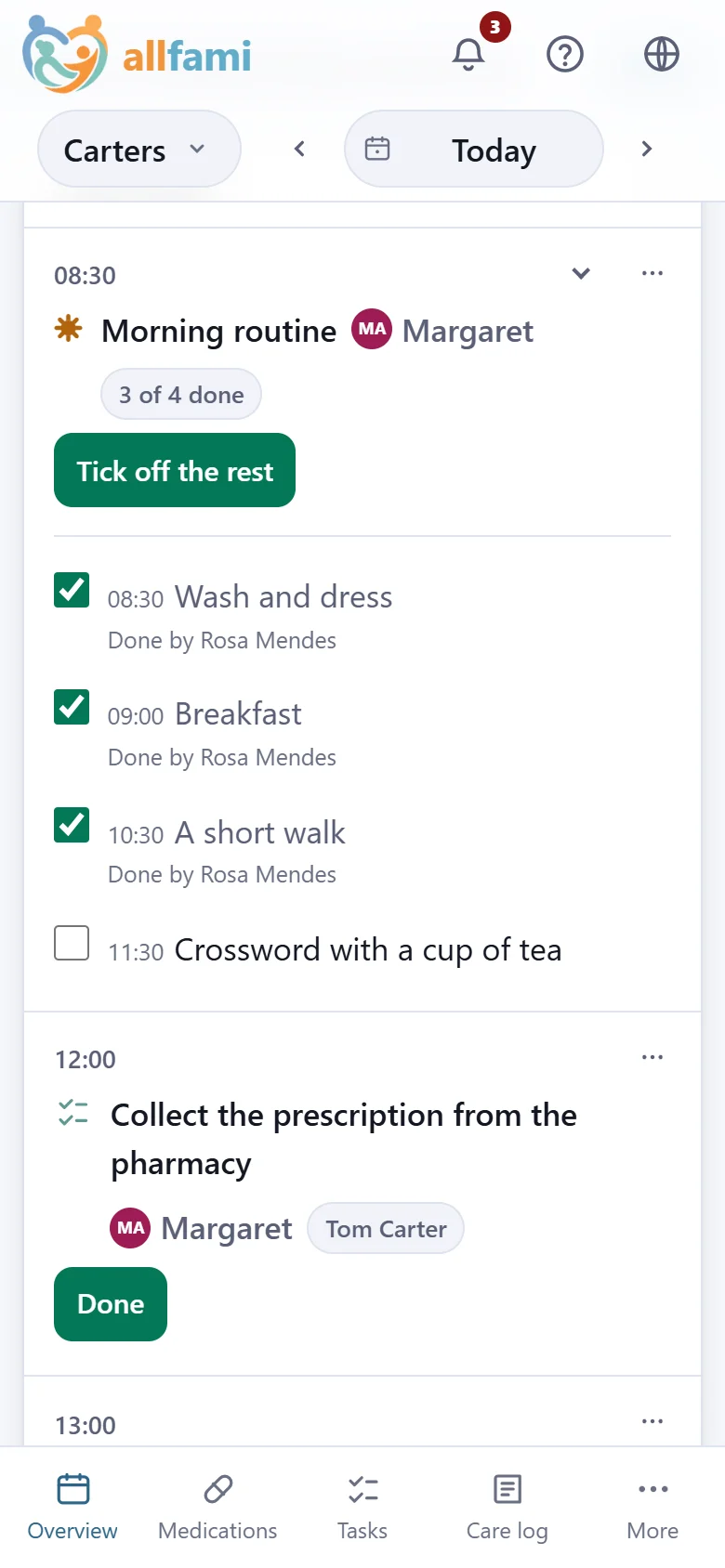
A routine is the same few things every morning or every evening. It sits on the day as one row and opens into its steps.
- Each step says who did it.
- "Tick off the rest" when the morning went to plan.
- A routine can repeat by itself - every day, or on the days you choose.
Appointments, and the questions to ask
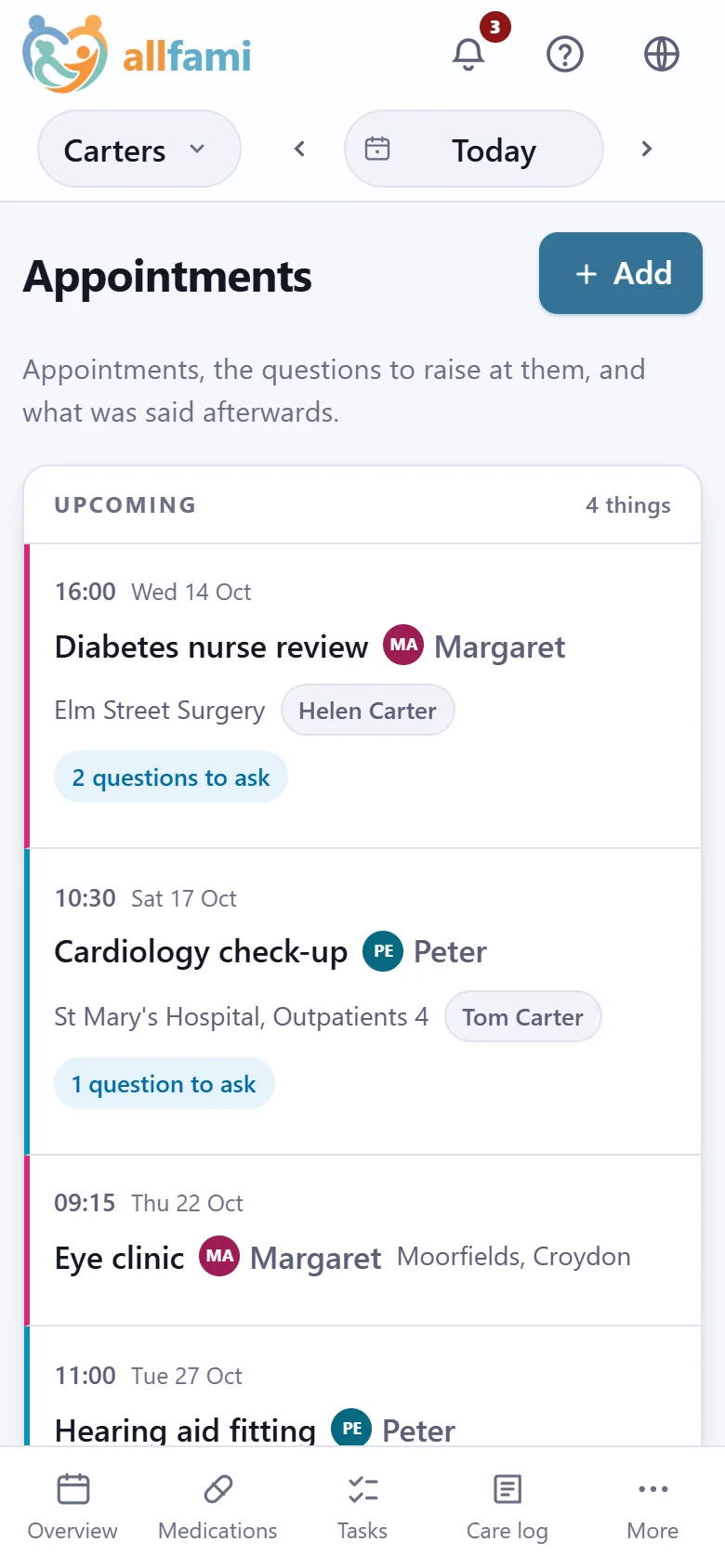
Who is going, who is taking them, and the questions the family wrote down beforehand.
- Anyone in the family can add a question before the day.
- The answers and the doctor's notes are written up afterwards, with the follow-up date.
- Reminders before each one, as far ahead as you choose.
The care log
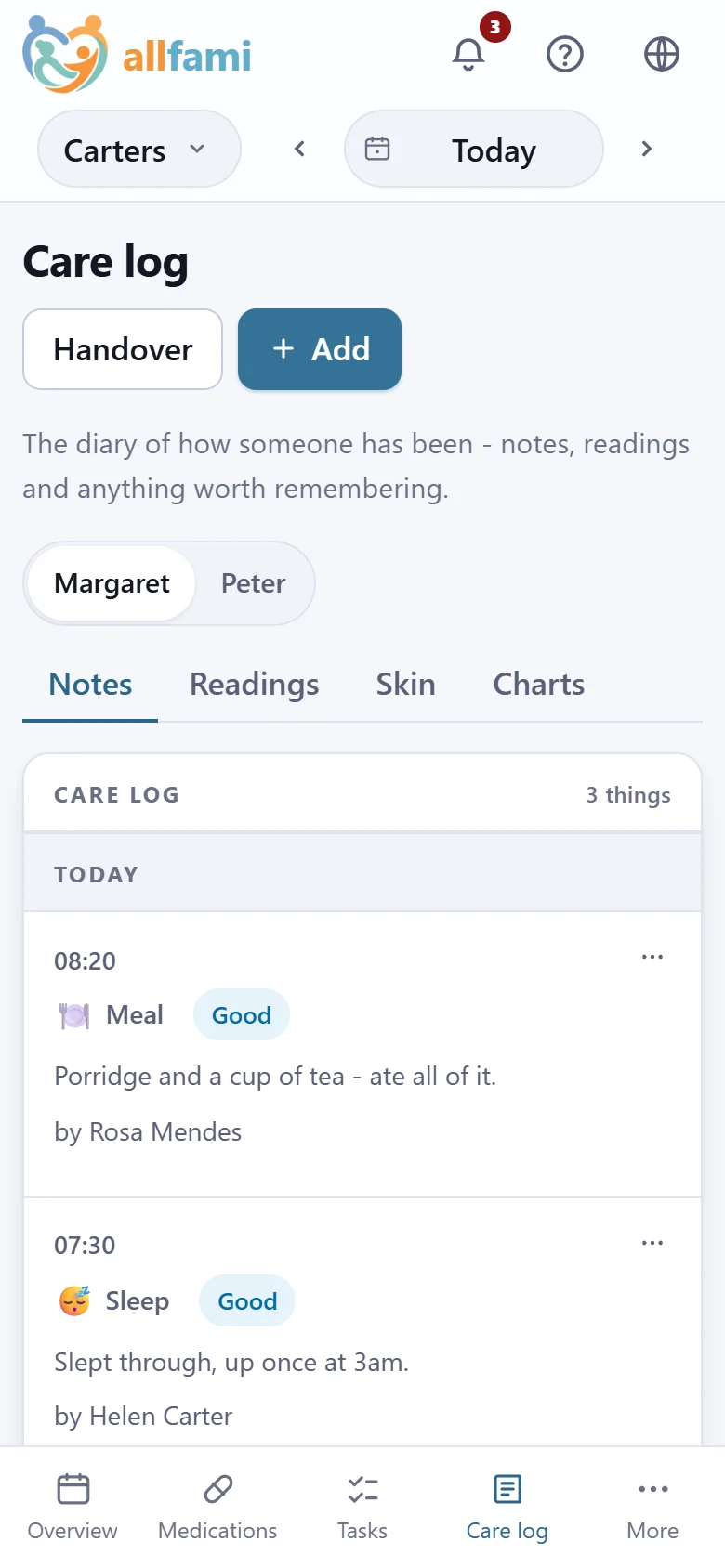
What actually happened, day by day: meals, sleep, mood, anything worth knowing - written by whoever was there.
- Speak a note instead of typing it.
- Readings like blood pressure and sugar, flagged when they're outside the usual range.
- Notes the family keeps to itself are hidden from hired carers.
The charts a nurse asks for
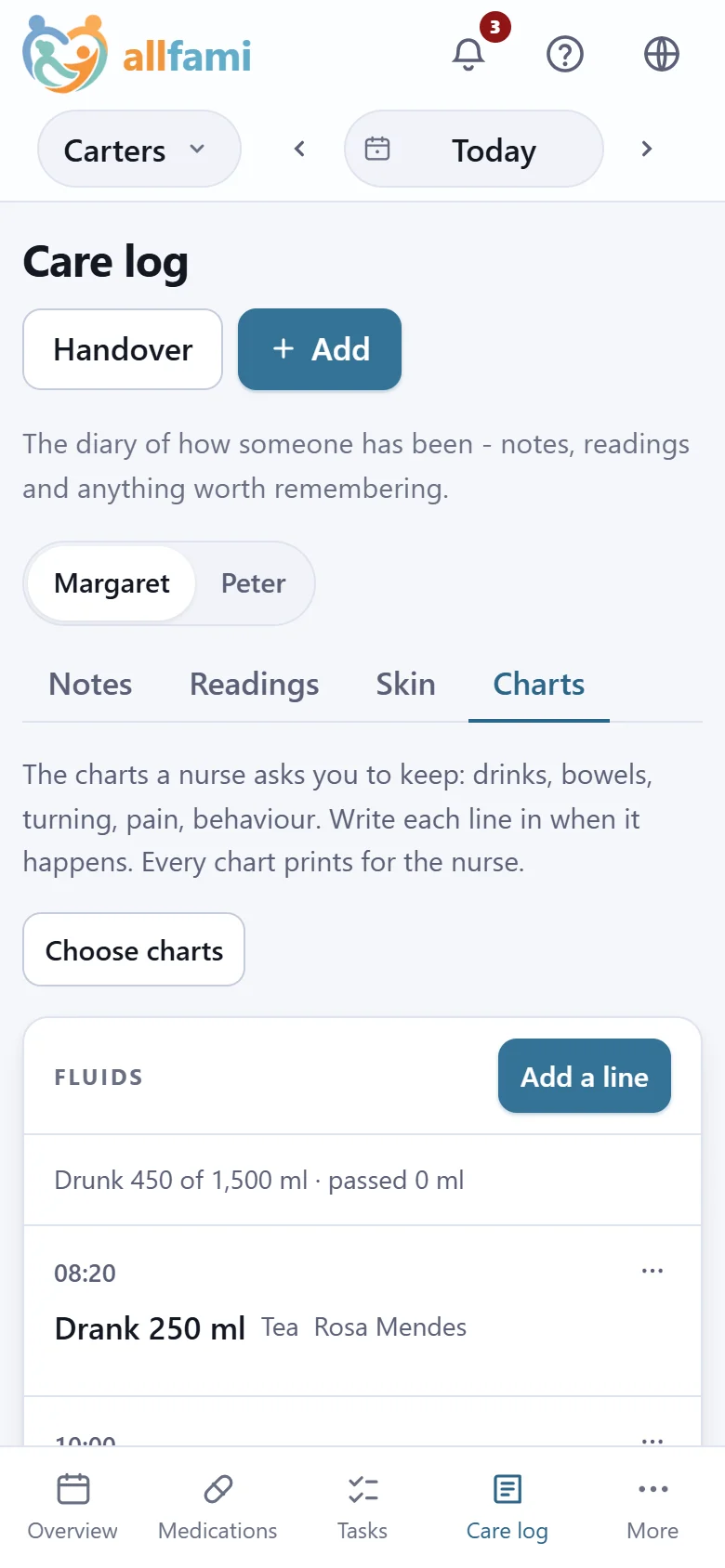
Fluids, bowels, turning, pain and behaviour - kept a line at a time, and printed for the nurse.
- How much has been drunk against the day's aim.
- A reminder when the fluids fall short or a turn is late.
- A month on one sheet, with each day's fluids added up.
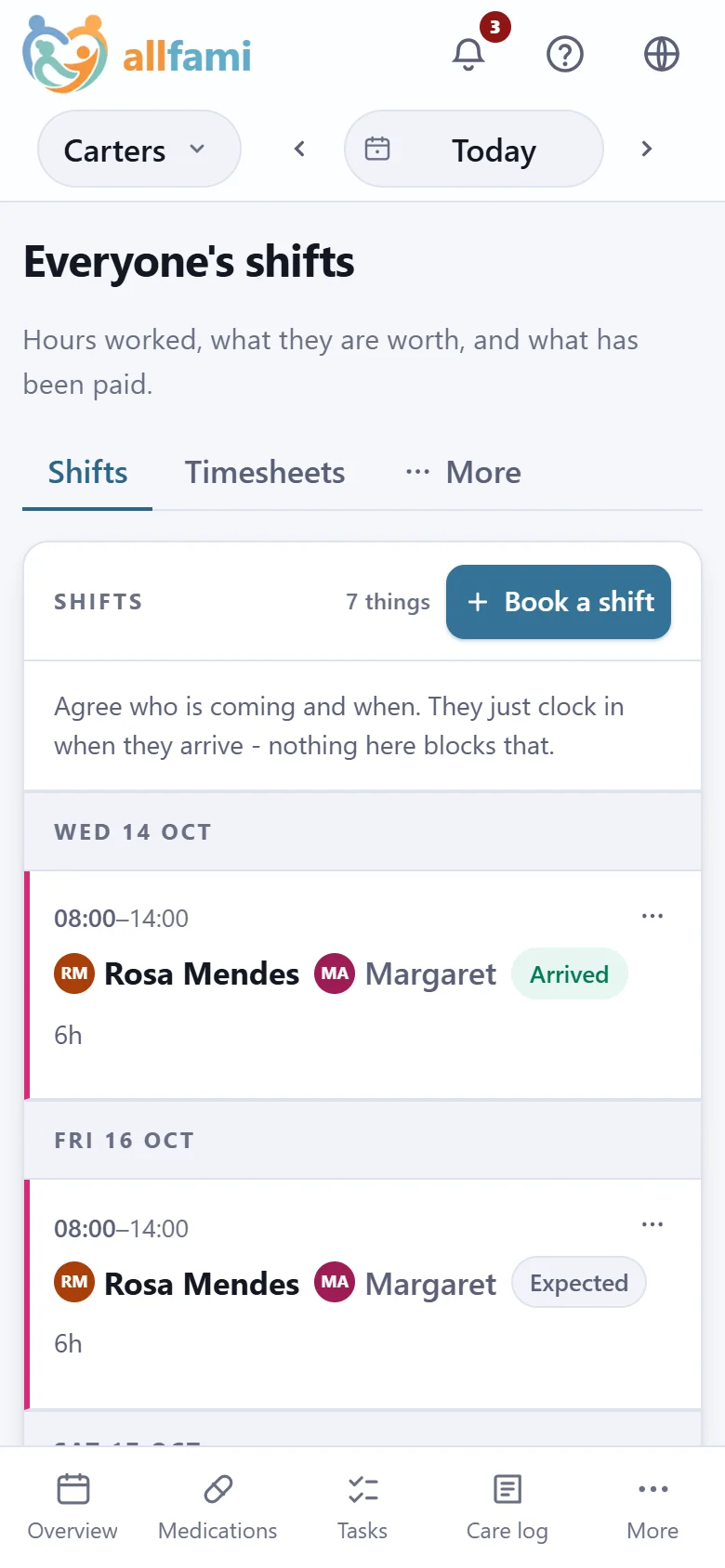
Who is coming, and their hours
The rota for everybody who helps, paid or not - and, for those who are paid, the hours that become their pay.
- Standing arrangements book themselves a month ahead.
- Carers clock in and out on their phone, and the handover writes itself.
- Hours agreed, payslips and holiday counted - the paid half of allfami.
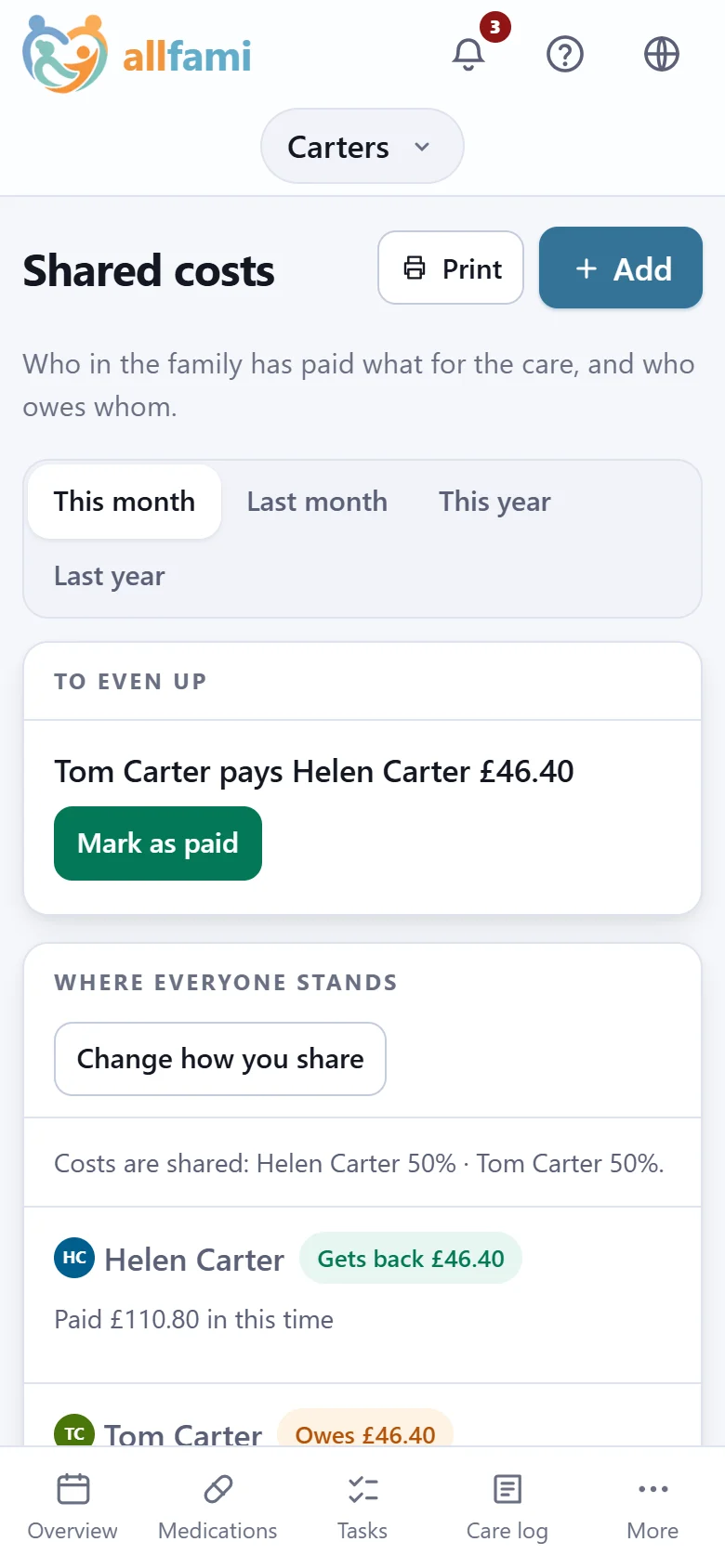
What the family has paid for
Who in the family paid for what - the pharmacy, a taxi, a rail in the bathroom - and who owes whom.
- Split the way you agreed: half each, or any shares you like.
- The fewest payments that even everybody up.
- A receipt with each cost, and the year's list for the tax return.
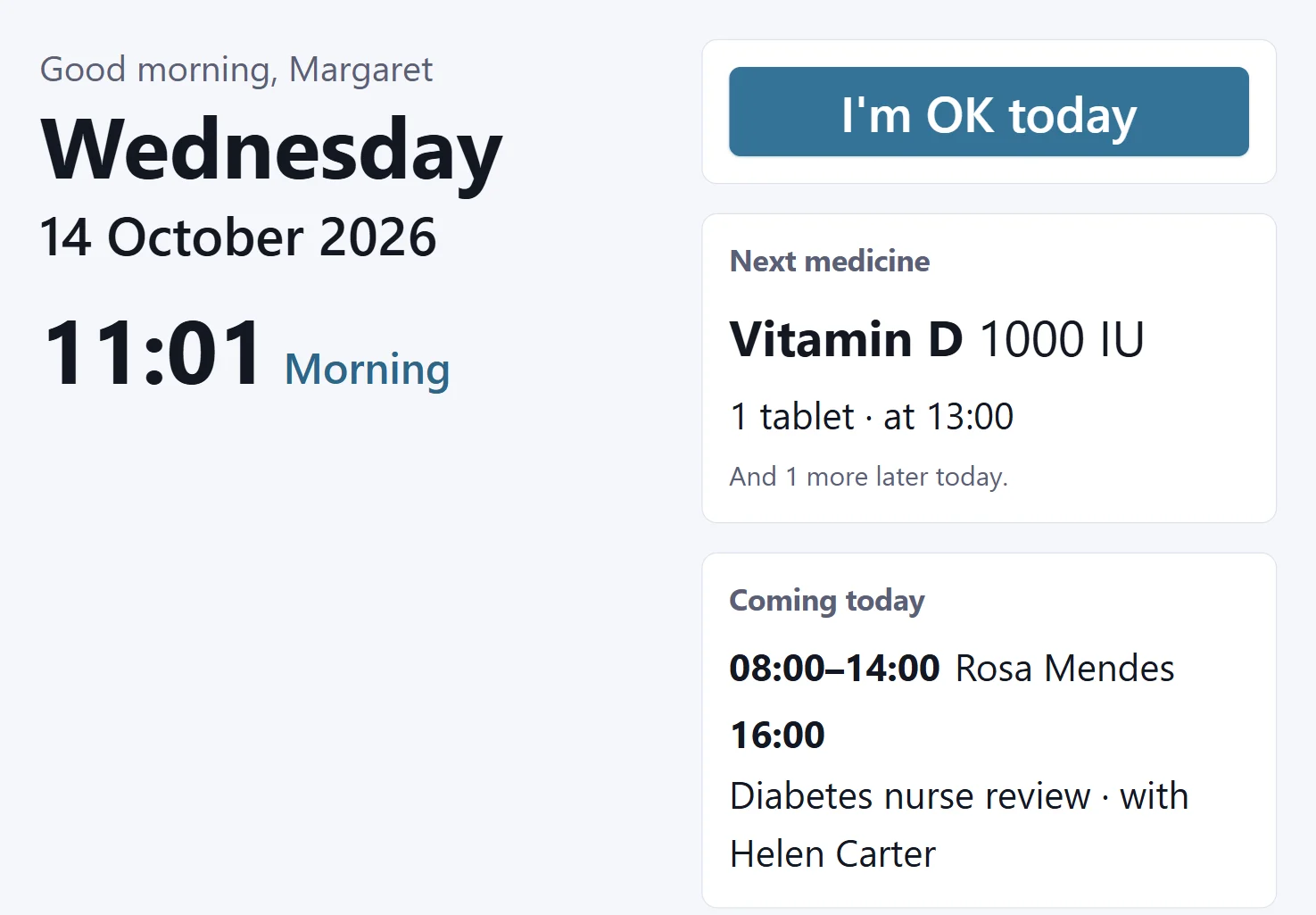
A screen at home
An old tablet in the kitchen, showing the person their own day in big letters - the time, the next medicine, who is coming.
- One big button: "I'm OK today".
- Set up with six digits, like a television - nobody signs in on it.
- If the family allows it, a regular medicine can be marked taken from it.
Ready when you are
Start with one person and one medicine. Everything else can wait until you need it.
Free for family care. The paid half is free for your first month.